
Post
Location Sound for Commercial Video in the UAE: Capture Dialogue You Can Actually Use
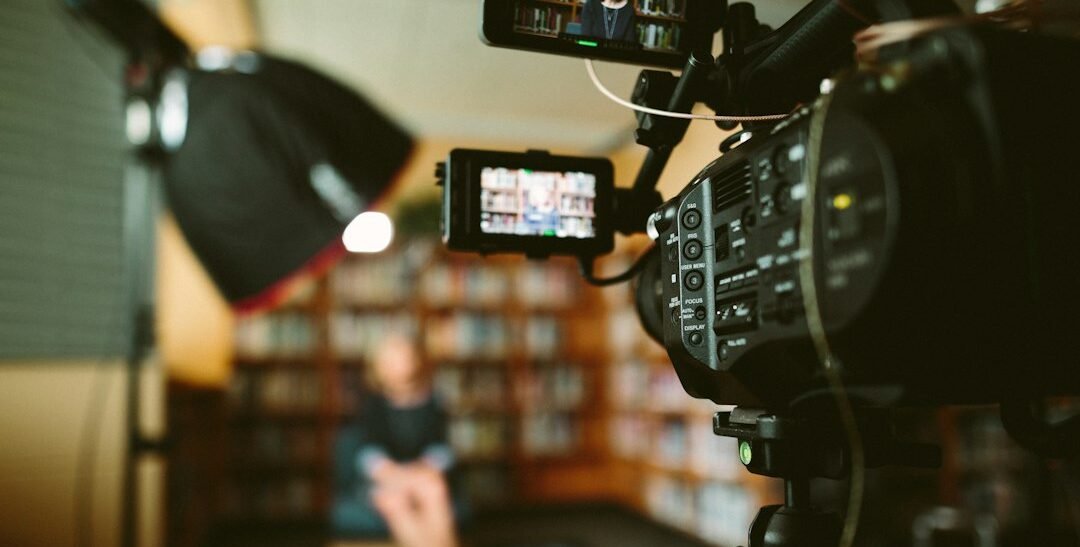
A sharp image cannot rescue an interview that is difficult to hear. Traffic outside a Dubai office, air conditioning above a meeting table or clothing rubbing against a microphone can leave a commercial film with dialogue that distracts from its message. Location sound for commercial video in the UAE deserves a plan before the camera starts, with time to listen, test and correct problems while the speakers are still present.
This guide concerns dialogue and useful location audio during a commercial shoot. It is separate from podcast planning, music selection and a complete post-production sound mix. The examples are hypothetical production situations, not client results. No equipment choice guarantees clean audio in every environment, so practical checks remain essential.
Decide which sounds carry the message
List the spoken lines, interviews and demonstrations the audience must understand. Then distinguish these from background atmosphere that merely establishes the setting. A workshop film may need a clear explanation recorded away from machinery as well as a separate view of the machinery operating. Trying to capture everything in one uncontrolled moment can compromise the essential dialogue.
Mark the sound requirement beside the relevant scene in the commercial video storyboard. If the message depends on a particular explanation, give that recording a deliberate place in the schedule. Do not assume a voiceover added later will communicate the same thing or preserve the authenticity the business wanted.
Listen to the location at the intended recording time
Visit or assess the space with sound in mind. A room that looks quiet may contain ventilation noise, lifts, refrigerators or nearby conversations. Check the conditions at the time the interview will actually take place where practical. A short visit outside operating hours may hide the noise that returns when the business opens.
For a hypothetical Abu Dhabi showroom, consider whether the speaker can move to a quieter corner without losing useful visual context. Discuss interruptions with the site contact and identify who can coordinate them. Do not switch off essential ventilation, safety systems or operational equipment without the responsible person’s direction.
Choose a microphone approach for the actual scene
Consider distance, movement and framing together
A microphone attached to a speaker and one positioned outside the frame have different practical constraints. Clothing, head movement, multiple speakers and a wide composition all affect the setup. Ask the sound professional to test an appropriate approach rather than selecting solely because a microphone is small or easy to hide.
Shure’s audio guide for video and film production discusses the limitations of relying on a camera microphone in noisy or reverberant rooms. The practical lesson is to assess the relationship between microphone, speaker and environment. An expensive camera does not remove the need for a suitable audio capture plan.
Check clothing and physical movement
Ask the speaker to turn, sit, gesture and deliver a sample line as they will during the take. Listen for fabric contact and changing clarity. A successful stationary test does not prove the setup will work when the person walks or handles an object. Make adjustments respectfully and explain any microphone placement before attaching equipment.
Monitor the recording, not just the room
Assign someone to listen through the recording path using suitable headphones. Hearing the speaker clearly in person is not enough: the recorded signal may contain faults that are not obvious to people nearby. Confirm which device is receiving which microphone and which file or track will be used in the edit.
Watch levels and listen during a realistic rehearsal, including the loudest expected delivery. Leave appropriate headroom for the equipment and scene, following the recorder’s guidance and the sound operator’s judgement. Avoid prescribing one universal setting for every microphone and workflow. A visibly active meter does not prove the dialogue is clean or complete.
Plan outdoor speech around wind and interruptions
For a hypothetical Sharjah service business filming outside its premises, test wind protection and microphone position in the actual conditions. Listen for traffic, construction, aircraft and people moving nearby. If an interruption covers an important phrase, capture another take while the speaker and setup are ready.
Have an alternative location or a separate dialogue plan when the environment is unsuitable. Do not keep repeating takes indefinitely in a space that cannot support them. Our location scouting guide covers the broader site decision; audio suitability should be one of the inputs, rather than a surprise discovered after lighting is complete.
Protect continuity between takes
Record notes when microphone position, room conditions or equipment settings change. An edit may join sentences captured at different times, and those changes can make the transition obvious. Keep the intended sound consistent where practical, while giving the editor enough information to understand unavoidable differences.
Capture a useful sample of the room’s natural background under the relevant conditions when the sound team requests it. This can support editing, but it is not a cure for badly damaged speech. Keep unnecessary conversation out of the sample and document which setup it belongs to so the editor can find it.
Give retakes a clear process
Agree how the sound operator will flag a problem without confusing the speaker. If a phrase needs repeating, identify the exact line and provide enough surrounding context for a natural delivery. A rushed isolated word may be difficult to match later. Check that the replacement is usable before the team moves on.
For bilingual filming, keep the language version and take reference clear. Similar-looking files can contain different wording or approvals. Where pronunciation or technical names matter, ask the authorised business reviewer to confirm them during preparation. Sound quality and factual accuracy are different checks, and both may affect whether the final dialogue can be used.
Prepare an understandable handover to the editor
Use consistent scene and take references across picture and sound. Agree the synchronization method before production and identify any separate recorder files. Provide notes on preferred takes, interruptions and replacement lines. The editor should not have to guess which recording belongs to a camera clip or whether a missing phrase was captured elsewhere.
After the shoot, verify that the expected files exist and can be read before equipment is cleared or media is reused. Follow the production’s agreed backup process. Avoid promising that a second recording exists without checking it; a backup that was never enabled provides no protection when the primary file has a problem.
Set realistic expectations for post-production
Editing and audio processing can improve a recording, but they cannot reliably recreate every missing or obscured detail. Agree the acceptable standard for the intended use and identify issues early. If the team already knows that essential dialogue is compromised, discuss a replacement recording rather than concealing the problem until final delivery.
Review the finished film on appropriate listening devices as well as with captions. Captions support understanding, but they do not make distracting sound disappear. Check that the spoken message, music and other sounds work together, and keep the audience’s ability to understand the business at the centre of the review.
Plan sound as part of the production
Bring the proposed location, speaker list and essential message to Infiniti in Media. Our commercial video and photography services can help scope the production around what needs to be seen and heard. Contact the team to discuss a shoot plan that gives dialogue the attention it needs before filming begins.