
Post
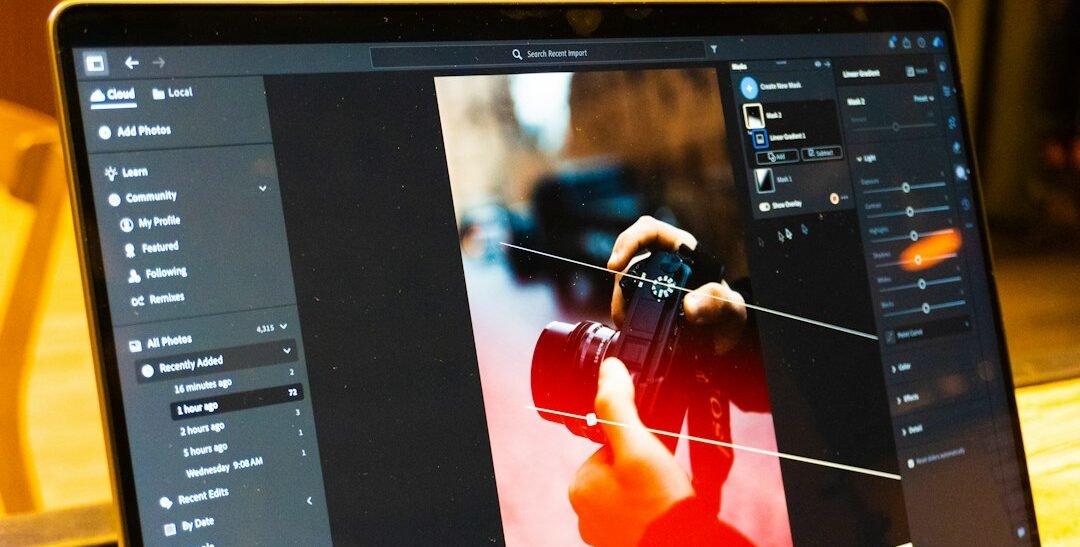
Tethered Commercial Photography in the UAE: Review the Frame While the Set Is Ready
A product label looks clear on the camera screen, but a larger preview reveals a reflection across the wording. The set is still ready, the product is in position and the team can correct the frame immediately. Tethered commercial photography in the UAE connects capture to a computer review workflow so useful decisions can happen while the shoot is in progress.
This guide focuses on reviewing images during capture. It is separate from choosing the final delivery shortlist after a shoot or managing a permanent media library. The examples are hypothetical UAE production situations. Tethering does not guarantee a better photograph; its value depends on reliable equipment, clear review responsibilities and an efficient way to act on what the team sees.
Decide what the larger preview needs to reveal
Start with the decisions that are difficult to make from a small camera display. These might include label readability, product arrangement, an unwanted reflection or enough space for the intended crop. A larger view can help the team inspect these details, but it should not become a reason for everyone on set to debate every frame.
For a hypothetical Dubai packaging brand, the important question may be whether the product information remains visible in the chosen angle. For a corporate portrait session, it might be clothing alignment and expression. Define the review priorities in the brief so the preview serves the actual assignment.
Check the complete capture setup before the shoot
Verify compatibility rather than assuming it
Confirm that the camera, operating system, application version and connection method work together. Adobe publishes a tethered camera compatibility list for Lightroom Classic, and support can depend on the particular model and software environment. Other applications have their own requirements. Test the equipment combination the production will actually use.
Do not discover during a paid session that a borrowed camera needs a different workflow. A successful connection at home is only the first check; verify capture, transfer, preview and file storage together. If a setting or firmware change is proposed, have the responsible operator assess it before the production day.
Prepare a practical connection and power plan
Place cables and the review station so people can move safely and the photographer can work without repeatedly pulling the connection. Agree who manages the computer and how power will be maintained. Keep the arrangement appropriate to the location rather than creating a complicated station that blocks the set or forces the subject to wait.
Create a session structure that keeps files identifiable
Use an agreed session name and stable image references. Decide how different products, scenes or people will be separated during capture, while keeping each file traceable. The client’s comment must point to a specific frame rather than “the image we saw just before lunch.”
Adobe’s tethered import guide describes session and capture controls in Lightroom Classic. The broader operational principle is to plan the destination and naming before shooting. Do not rely on a last-minute folder on a desktop that nobody else can identify after the session.
Assign one person to collect business feedback
The photographer should retain responsibility for the capture workflow, while a designated client reviewer consolidates relevant business corrections. A product specialist may need to confirm the arrangement, but that does not mean every stakeholder should direct the next shot independently.
For an Abu Dhabi hospitality production, the reviewer might check that the photographed setup matches the approved service presentation. If different departments disagree, resolve the business decision through the assigned contact. Tethering makes issues visible sooner, but it cannot resolve an unclear approval structure by itself.
Distinguish a useful correction from a new brief
A reflection hiding a label may require a practical adjustment. A request to photograph an entirely different concept may change the scope or schedule. Record the difference and discuss it before the team begins additional setups. Otherwise, a preview station can quietly become a place where the original shoot plan is replaced frame by frame.
Refer to the commercial photography brief when a proposed change affects deliverables. Keep a short note of approved deviations and who accepted them. This protects continuity when the editor later receives images that no longer resemble the original reference.
Use preview adjustments with clear expectations
A capture application may display processing adjustments that affect how the image looks on the review screen. Explain whether the preview is a working treatment or a final colour decision. Do not let a quick on-set adjustment become an unspoken promise that every delivered image will match an uncalibrated display exactly.
Review conditions matter too. Bright ambient light or a poorly positioned screen can make details difficult to judge. The colour consistency guide covers the wider capture-to-delivery process. Use the preview to support practical decisions while keeping final colour and retouching approvals distinct.
Keep capture review separate from final selection
A frame approved as suitable to continue the shoot is not necessarily the final image selected for every use. Expressions, alternative compositions and the overall set still need review. Label on-set favourites in a way the team understands, without confusing them with fully approved delivery files.
After the session, follow a defined commercial photo selection process. That review can consider the set as a whole, likely crops and retouching requests. Clear stage names prevent a quick preview decision from being treated as final publication approval.
Have a fallback for a lost connection
Agree how shooting continues if transfer stops, the application becomes unavailable or the computer needs attention. Confirm the camera’s actual recording behaviour in the chosen setup; do not assume every frame exists on both a memory card and the computer. Verify where files are being stored during the test.
When the connection returns, check for missing transfers and file-reference confusion before moving on. If a frame must be repeated, identify it while the subject and lighting remain available. A fallback should preserve useful production work rather than leave everyone waiting for one person to troubleshoot without a plan.
Check files before dismantling the set
Review that the required material was captured and that the expected files can be opened. Follow the agreed backup process and identify who is responsible for confirming it. A preview visible earlier in the day is not proof that the full-resolution file is safely stored in the required location.
For a hypothetical Sharjah product shoot, this final check may reveal a missing variation while it can still be photographed. Keep the review focused on required coverage and obvious issues. It should support a controlled finish, not restart the entire creative discussion at the end of the day.
Build the review workflow into the production scope
Bring your product range, intended placements and review requirements to Infiniti in Media. Our commercial photography services can help plan how capture and feedback work together. Contact the team to discuss whether tethered review will help your shoot and what the production needs to support it.
Illustrative stock photograph: Zulfugar Karimov / Unsplash. It shows a photo-editing workspace, not an Infiniti client shoot.